FontConverter for Windows

FontConverter is an essential tool for designers, typographers, and font enthusiasts. Effortlessly convert your legacy PostScript Type 1 fonts into modern OpenType format, ensuring compatibility with today's software and systems.
All conversions are performed locally on your device, providing complete privacy and eliminating the need for online services. Rest assured, your fonts are never shared with third parties.
Whether you're preserving the charm of vintage fonts or updating them for professional use, FontConverter makes the process simple and secure.
This is the windows version of our PostScript to OTF font conversion tool. You find the macOS version here.
Price: USD 24.99
Purchase Directly from Us
If you prefer, you can purchase FontConverter directly from us and avoid using the Microsoft Store.
How to convert a PostScript Type 1 font
By converting your old PostScript Type 1 fonts, you will be able to use them again with most modern apps that stopped supporting PostScript fonts.
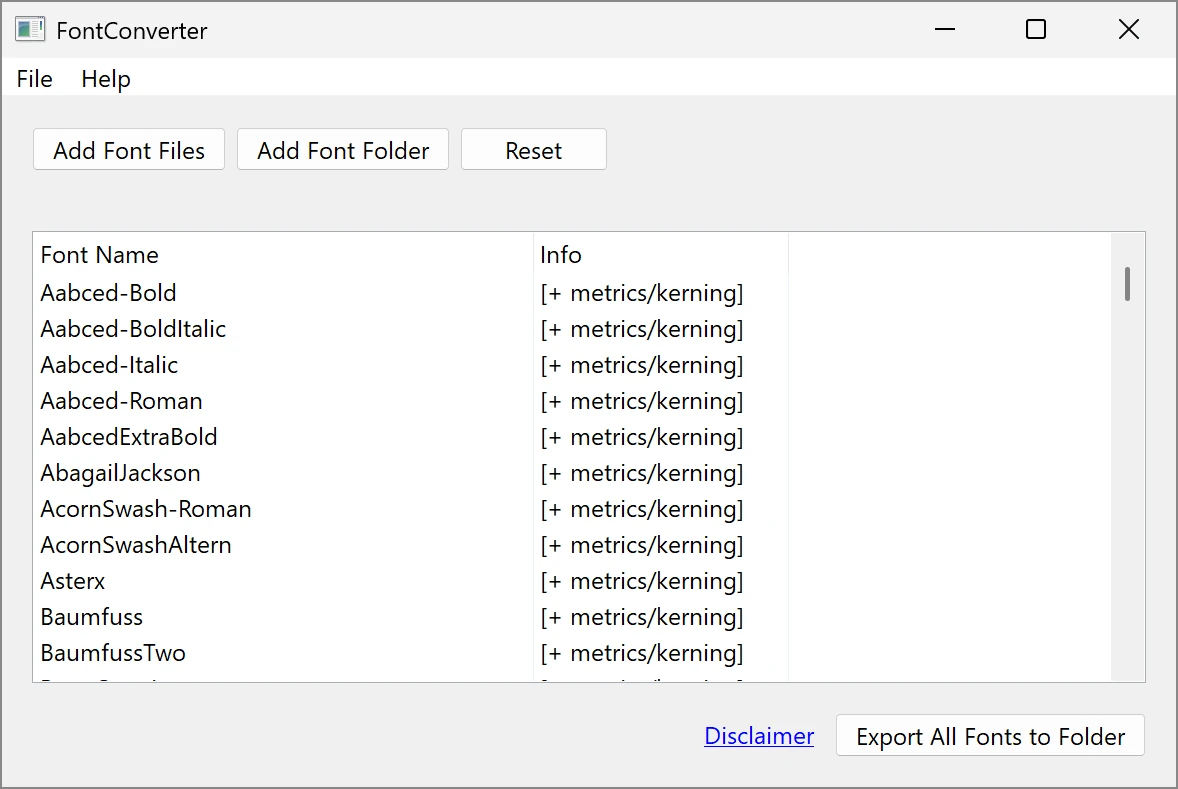
How to Use FontConverter
-
Add your font files:
Use the "Add Font Files" button to add individual files, or use the "Add Font Folder" button to include all font files in a folder and its subfolders. You can add multiple files or folders to process them all at once. -
Export converted fonts:
Once all the font files are listed in the program, click the "Export All Fonts to Folder" button. Select the folder where you want the converted fonts to be saved. -
Check for errors:
If there are issues with any font files, FontConverter will display a list of files with errors after the export process. Review the messages and adjust your input files if needed.
Which Files Should I Add?
PostScript Type 1 fonts consist of several types of files:
- .pfb or .pfa files: These are the main font files and are required. They contain the outline data for the font.
- .pfm or .afm files: These are optional but recommended. They provide additional information, such as kerning pairs and other metrics. If these files are available, add them as well to ensure better conversion quality.
FontConverter can work with only the .pfb or .pfa file, but if you include the .pfm or .afm files, the converted OpenType fonts will include enhanced metrics and kerning information. Fonts that include metrics or kerning data will show a "[+ metrics/kerning]" note in the file list.